
aaPanel Linux Panel Installation Guide
This document provides step-by-step instructions for the initial setup and configuration of your aaPanel server.
1. Accessing the Login Interface
-
Connect via SSH (using PuTTY or Terminal).
-
Type
btand press Enter. -
To find your login link : Enter
14(View panel default info).
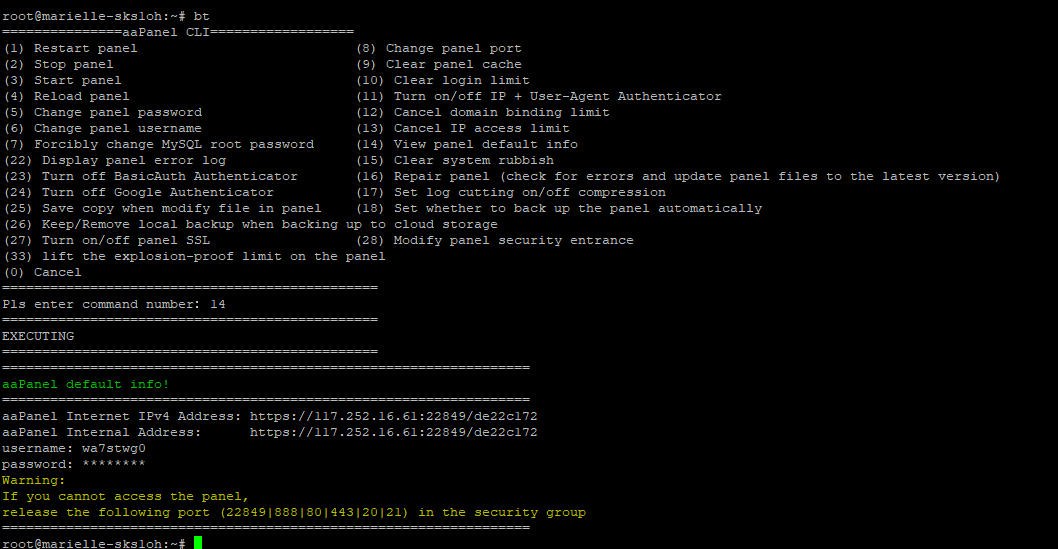
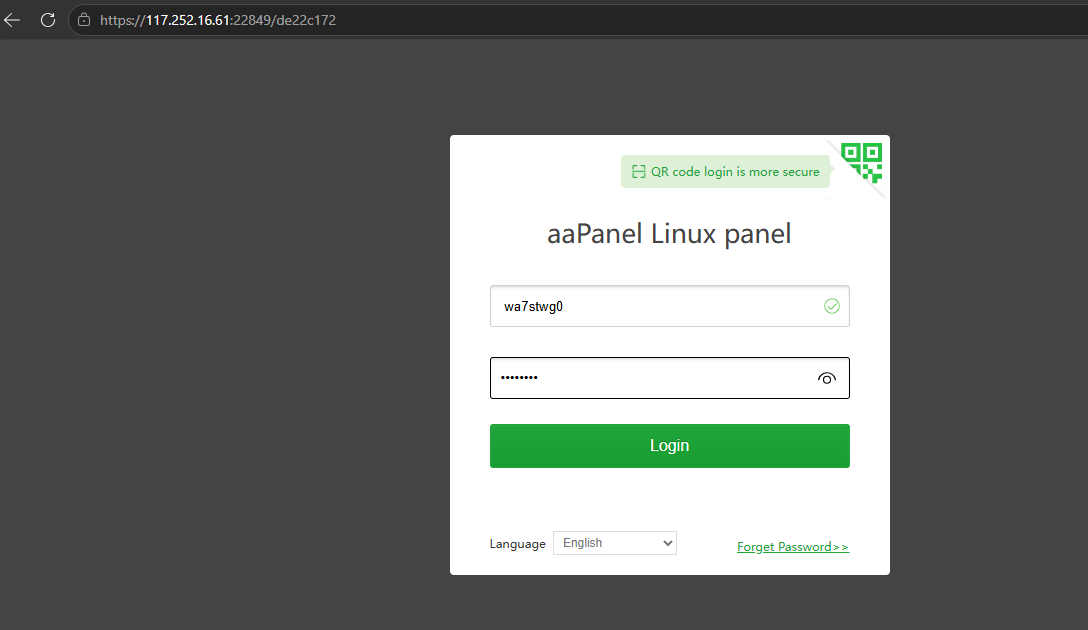
Note: If you see a "Not Secure" browser warning, click Advanced and then Proceed to reach the login screen.
2. Recommended Software Configuration
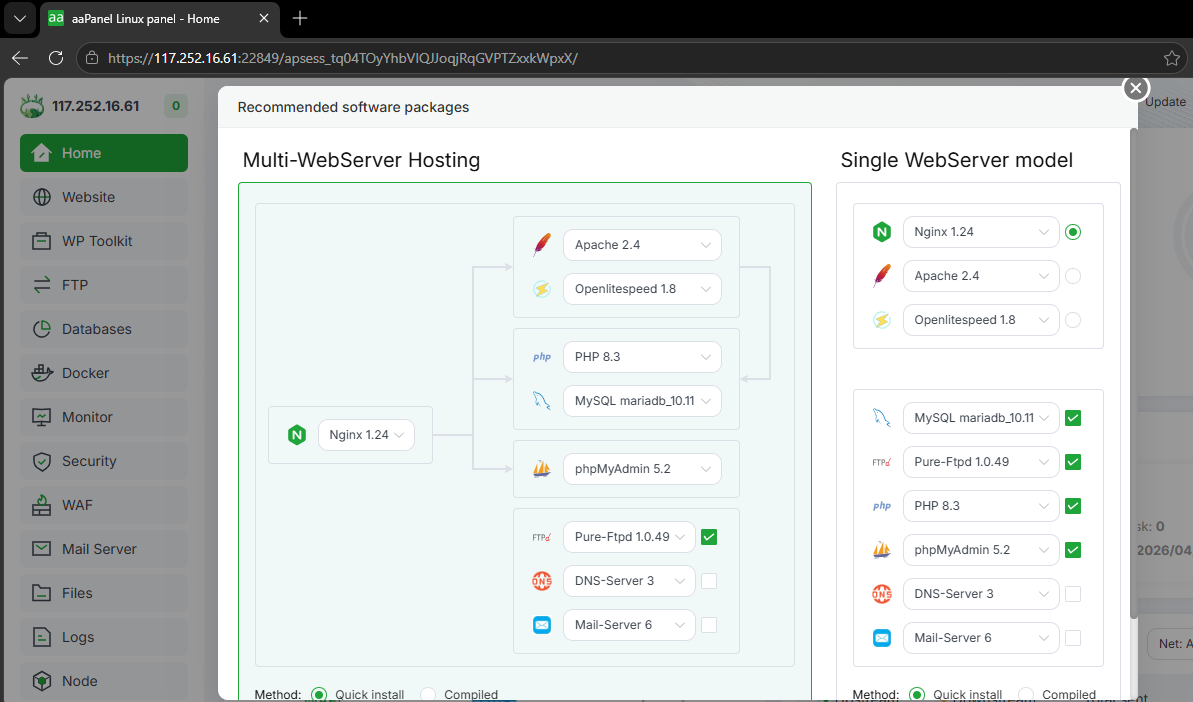
Upon your first successful login, a pop-up window titled "Recommended software packages" will appear. This allows you to install your web server environment.
Suggested Setup (LNMP):
We recommend the Single WebServer model (Nginx) for better performance:
-
Web Server: Nginx 1.24
-
Database: MySQL/MariaDB 10.11
-
PHP: PHP 8.3
-
Management: phpMyAdmin 5.2
-
Method: Select Quick Install for the fastest setup.
Click One-Click to start the installation. This process may take 10–20 minutes depending on your server resources.
3. Link Your aaPanel Account
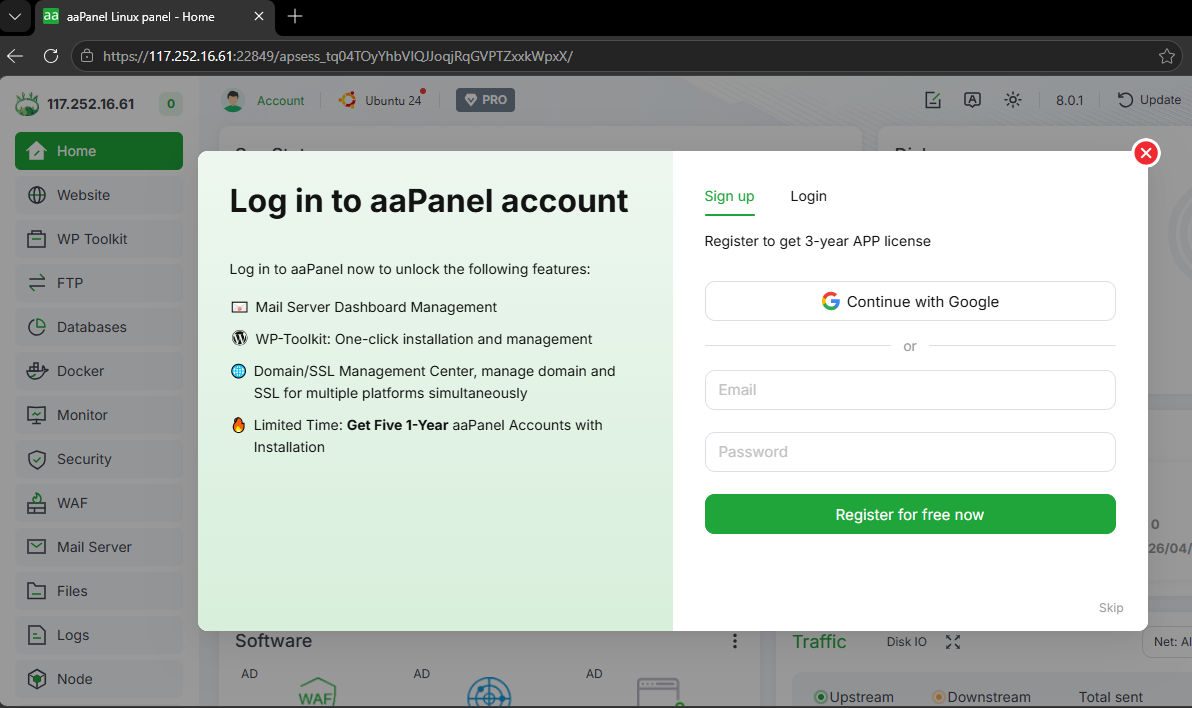
A prompt will appear asking you to Log in to aaPanel account.
-
Why? Linking an account unlocks features like the Mail Server dashboard, WP-Toolkit, and SSL Management Center.
-
Action: You can either sign up for a free account or click Skip at the bottom right to proceed directly to the dashboard.
4. Understanding the Dashboard
Once the installation is complete, you will see the Sys Status dashboard:
-
Home: View CPU, RAM, and Disk usage in real-time.
-
Website: Add your domains and manage website files.
-
App Store: Install additional software like Docker, Node.js, or Redis.
5. Troubleshooting: "Can't reach this page"
If the panel does not load or connection is refused:
-
SSH into your server.
-
Type
btand press Enter to open the CLI menu. -
Enter
1to Restart panel. -
Enter
14to verify your Full Internet Address hasn't changed.
Security Recommendation: Please navigate to Settings within the panel to change your default login credentials and security entrance immediately after setup.