
Congratulations! Your server has been successfully provisioned with FastPanel. This guide will walk you through finding your login details, activating your license, and managing your server.
1. Accessing Your Control Panel
Once you have your credentials, you can access your management interface via your web browser:
-
Panel URL: YourVpsIP:8888 (ex.
https://127.0.0.1:8888) -
Important: Handling the Security Warning:
When you first visit the URL, you may see a "Your connection is not private" warning. This is normal for new installations.
-
Click Advanced.
-
Click Proceed to 127.0.0.1 (unsafe).
-
2. Activating Your License
FastPanel requires an active license to function. As a HostGraber user, you can obtain a free license for your server.
-
Log in to your FastPanel dashboard using your retrieved credentials.
-
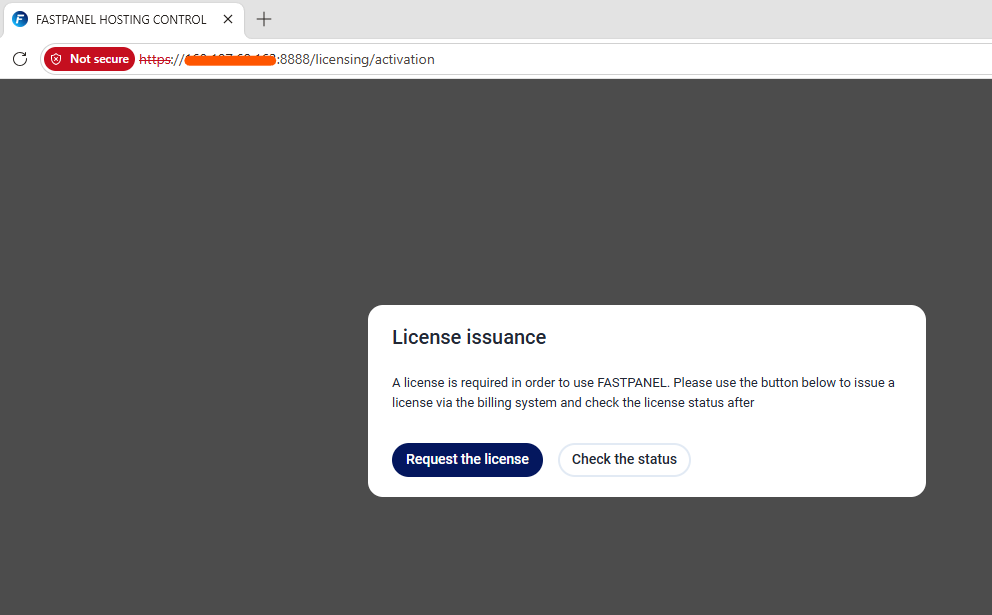
You will see a "License issuance" screen. Click the "Request the license" button.
-
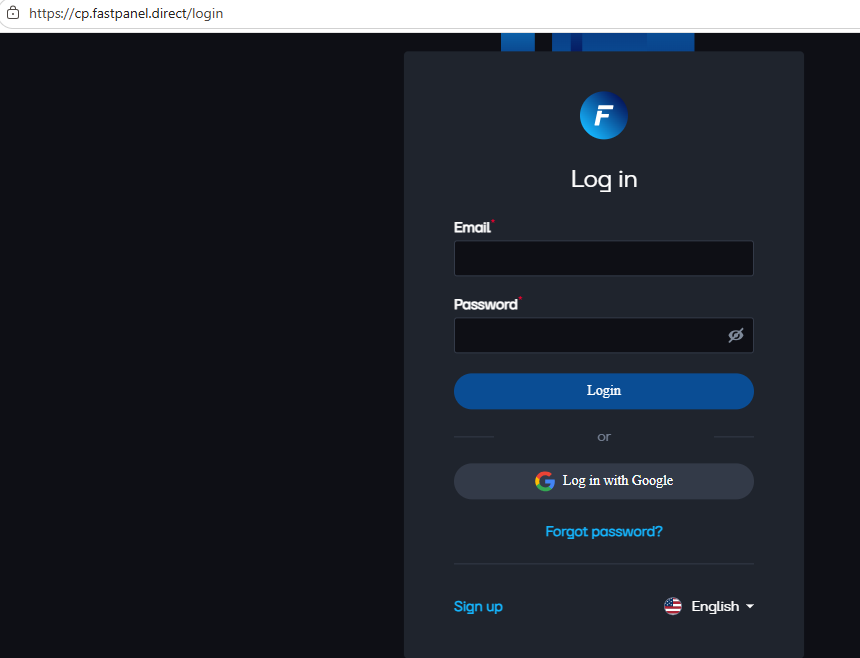
This will redirect you to the official FastPanel billing system (cp.fastpanel.direct).
-
Sign up or log in.
-
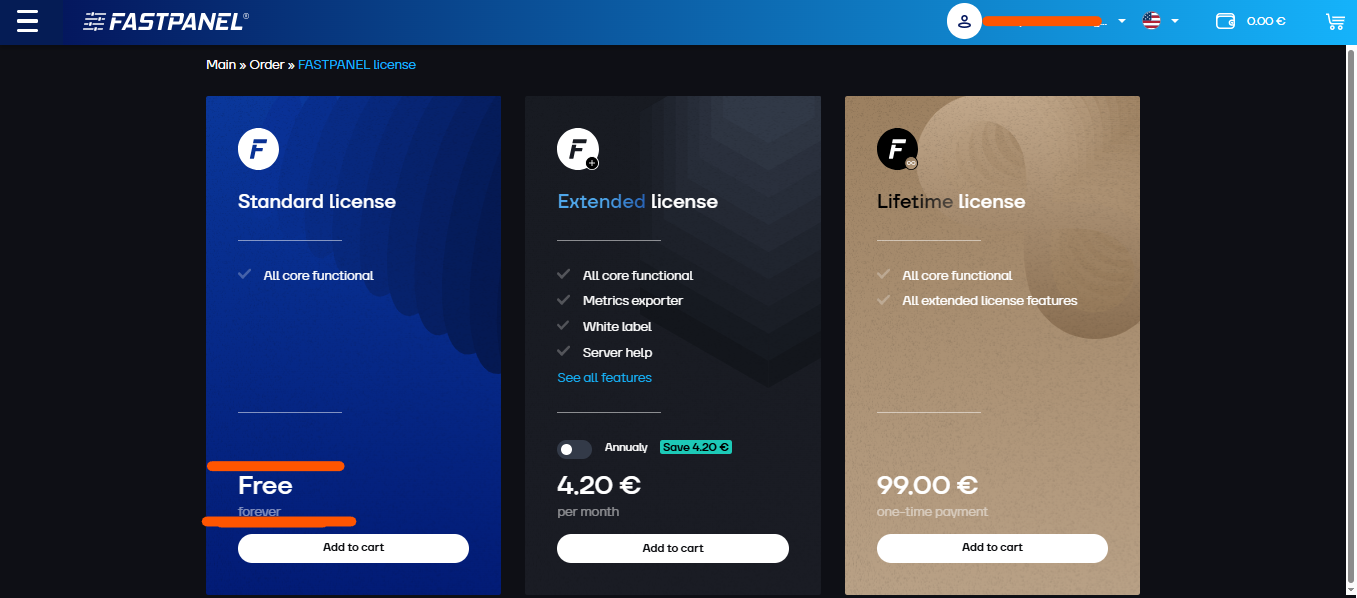
Select the "Free" license plan.
-
-
Configuration:
-
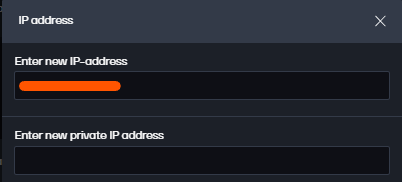
Enter new IP-address: Enter your server IP: ex. 127.0.0.1
-
Enter new private IP address: Leave this field blank.
-
Complete the checkout process (it is free).
-
-
Return to your panel and click the "Check the status" button. Your panel will now be fully unlocked!

3. Finding Your Login Credentials
If you have misplaced your login credentials (username and password) for the FastPanel dashboard, you can retrieve them directly from your server at any time:
-
Open your terminal or SSH client.
-
Connect to your server:
ssh root@YourVpsIp -
Run the following command to display your credentials:
cat /root/credential.txt
4. Managing Your Server
Once the license is activated:
-
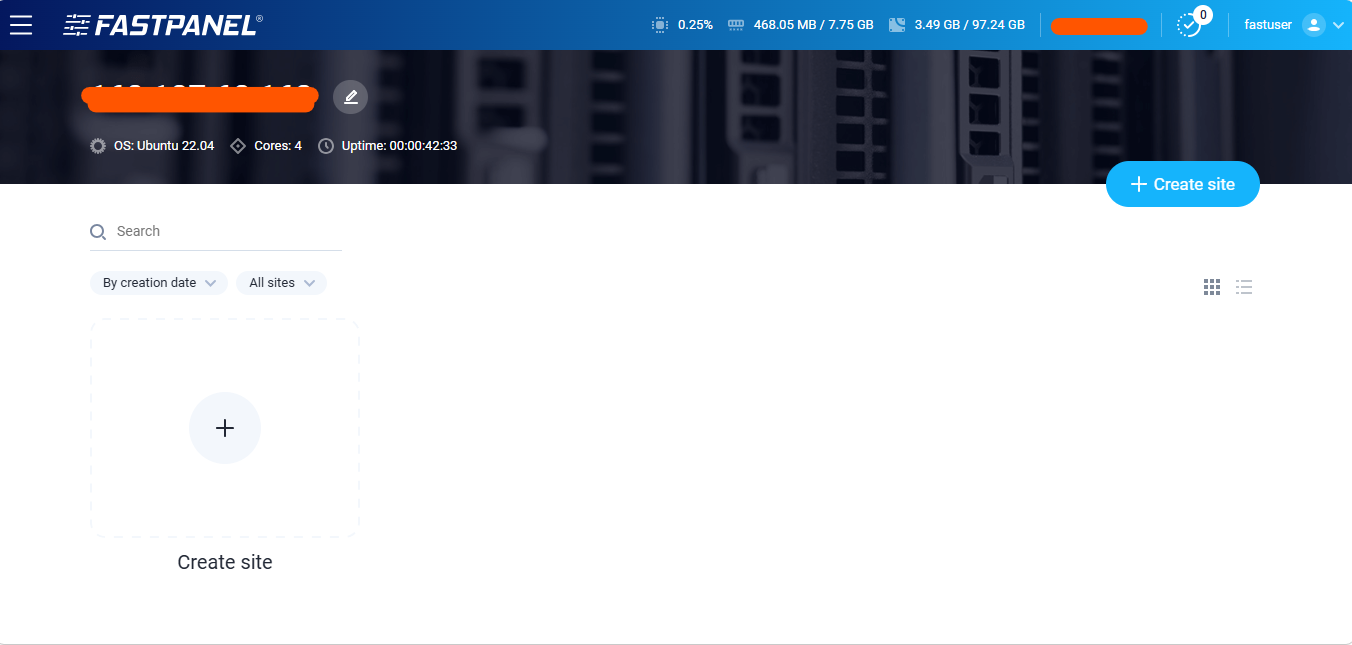
Create Your First Site: Click the large "+ Create site" button. This launches the wizard to set up your domain, PHP version, and database.
-
Monitor Resources: At the top of the dashboard, track your CPU, RAM, and Disk usage.
-
Security: We highly recommend changing your default password immediately. You can do this by clicking your user profile in the top right corner.
Need Support?
If you have any trouble or if the license activation fails, please reach out to the HostGraber Support Team. Please include your Server IP Address in your ticket so we can assist you quickly.
Happy Hosting!