-
Login to MobaXterm
-
Open MobaXterm.
Click on "Session" at the top left corner.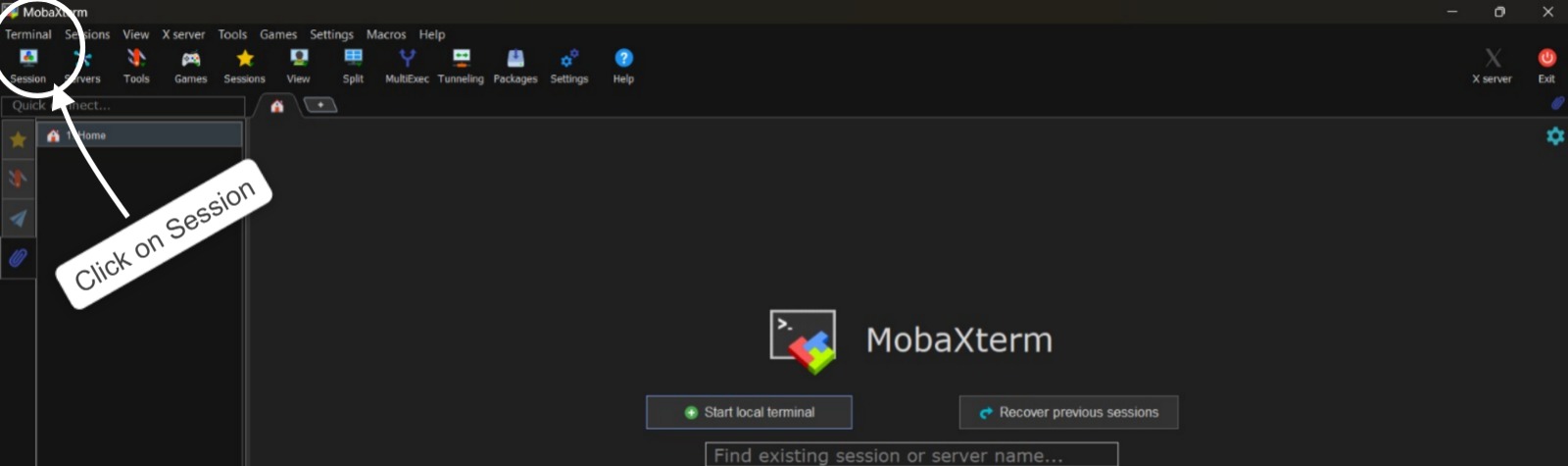
-
Create a New SSH Session:
-
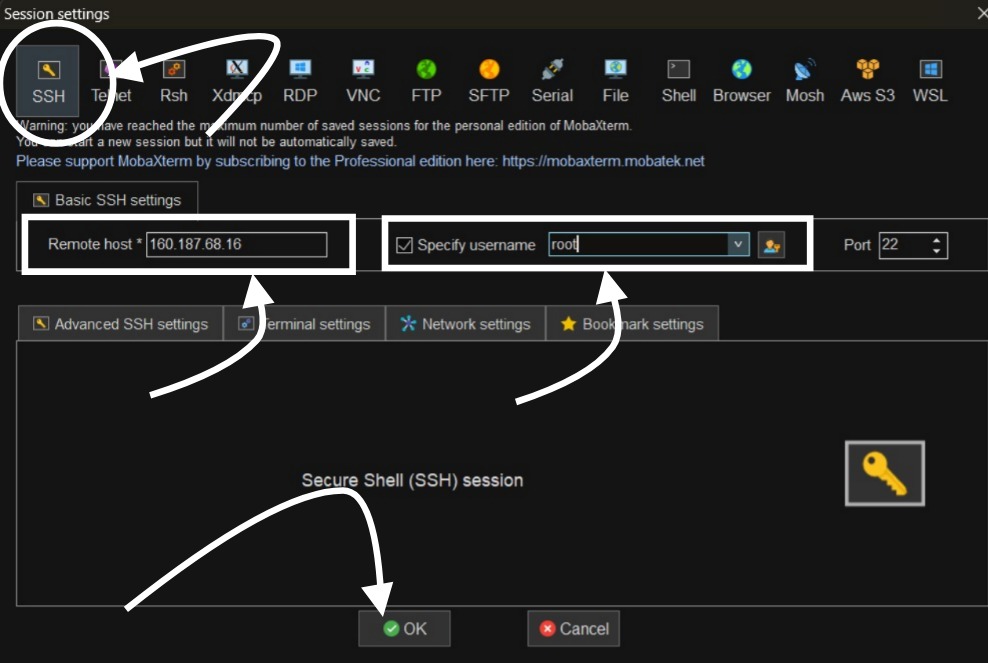
Choose SSH as the session type.
-
In the Remote host field, enter your Host Name or IP Address.
-
Ensure the Port is set to 22 (default SSH port).
-
Check the option "Specify username" and enter root as the username.
-
Click OK to start the session.
-
-
Accept Security Warning:
If a Security Alert appears asking to accept the server’s host key, click Accept or Yes. -
Enter Password:
Type the password provided to you and press Enter.
---> You will now be successfully connected to the Linux environment via SSH using MobaXterm.
-
-
Most Popular Articles
How to fix account locked out error due to put wrong credentials frequently?
Your OS install's default lockout policy is configured to temporarily lock the account after a...
Remote Desktop (RDP) Troubleshooting for VPS
Basic Pre-Checks Use the correct Public IP Address of your VPS. Confirm the RDP Port...
How to login to your VPS instance?
Login to your user dashboard. Go to My Products under Products section. Click...
How to reset your VPS password?
Login to your dashboard. Go to Products section. Click on My Products. Go to...
How to create private nameservers on your VPS instance?
Login to your Dashboard. Go to Domains section. Click on My Domains....